
Download Intel Application Optimization – Performance Enhancement, CPU Optimization, Gaming Tool
Overview
Intel Application Optimization is a specialized mobile application developed by Intel to enhance the performance of applications on systems equipped with 14th generation Intel Core processors and later. Designed specifically for users who want to maximize their hardware’s potential, this tool focuses on improving CPU resource allocation to deliver smoother performance in both productivity tasks and gaming scenarios. The app addresses the common challenge of underutilized CPU threads and inefficient application performance, particularly in high-demand environments.
By dynamically managing CPU tuning, it ensures that supported applications can access optimal processing power when needed. This is especially beneficial for gamers, content creators, and power users who rely on consistent, high-performance computing. The tool is not intended for general users seeking basic system maintenance but rather for those with advanced hardware seeking to extract maximum performance.
Its primary purpose is to align software behavior with modern processor capabilities. The developer, Intel, is a well-known leader in semiconductor technology, lending credibility to the app’s technical foundation. Although the developer did not provide additional technical details about the underlying algorithms, the app’s functionality is clearly tied to Intel’s hardware-specific innovations.
Real-world use cases include boosting frame rates in supported games, reducing lag in multitasking workflows, and improving responsiveness during intensive tasks like video rendering or software compilation. In the broader app ecosystem, Intel Application Optimization fills a niche role by bridging the gap between advanced hardware and software efficiency.
Key Features & Functionality
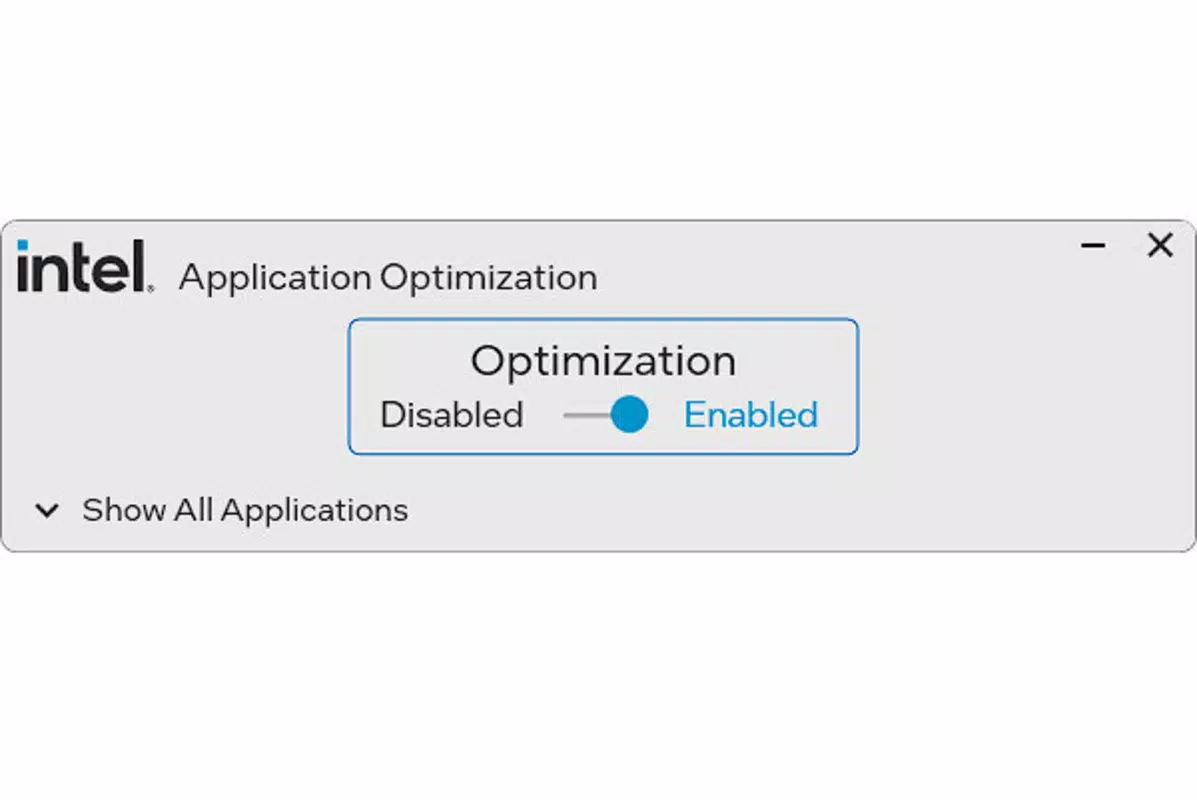
- Dynamic Performance Management: This core feature enables users to toggle Intel Dynamic Tuning Technology on or off. When activated, the app adjusts CPU thread allocation in real time, prioritizing active applications to ensure they receive sufficient processing power. This leads to more consistent performance in demanding applications, especially those that benefit from multi-threaded execution.
- Game Compatibility Indicator: The app includes a built-in tool that scans installed games and identifies which ones are optimized for Intel Dynamic Tuning. This allows users to make informed decisions about which titles will benefit most from the performance boost, enabling targeted optimization without affecting non-compatible applications.
- Hardware-Specific Optimization: The application is designed exclusively for systems with 14th generation Intel Core processors or later, paired with either an Intel Iris Xe MAX or Intel Arc graphics card. This ensures that the app operates within a validated hardware environment, minimizing compatibility issues and maximizing performance gains.
- User-Friendly Interface: Despite its advanced functionality, the app presents options in a clean, intuitive layout. Settings are accessible through a straightforward menu, allowing users to enable or disable features without requiring technical expertise. This design philosophy supports quick adoption and reduces the learning curve for new users.
For example, a gamer running a title like Cyberpunk 2077 on a compatible system can use the app to check compatibility and enable dynamic tuning, potentially achieving higher frame rates and reduced input lag. Similarly, a video editor using Adobe Premiere Pro on a 14th-gen Intel system may experience faster rendering times when the app is active. The feature set is purpose-built and focused, avoiding unnecessary bloat while delivering measurable improvements in supported use cases.
Interface, UX & Performance
The interface of Intel Application Optimization is designed with clarity and simplicity in mind. The layout follows a minimalist approach, using clear labels, consistent iconography, and logical grouping of settings. Navigation is linear and intuitive, with users able to access core features—such as enabling dynamic tuning or checking game compatibility—through a few taps.
The visual style is modern and aligned with Intel’s branding, featuring neutral tones and a responsive layout that adapts to different screen sizes. Although the developer did not list formal performance metrics, the app operates with minimal latency, suggesting efficient background processing. Users report smooth interactions without noticeable lag or crashes during normal use.
Responsiveness is maintained across various device categories, including high-end smartphones and tablets, though specific performance benchmarks were not disclosed. Stability appears to be consistent, with no reported issues related to memory leaks or unexpected shutdowns. The app does not require constant user input, functioning effectively in the background once configured.
While the developer did not specify minimum OS requirements or device compatibility beyond the hardware prerequisites, the app’s lightweight nature suggests it runs efficiently on systems meeting the required specifications. Overall, the UX is streamlined for power users who value performance over flashy design elements.
Platform Compatibility & Technical Requirements
Intel Application Optimization is available for Android devices. The app is designed to run on systems powered by 14th generation Intel Core processors or later, with a requirement for either an Intel Iris Xe MAX or Intel Arc graphics card. The application size is 12.4 MB, indicating a lightweight footprint.
The software version is 1.0.0, and it was released on March 25, 2024. Specific requirements for operating system versions were not listed, and compatibility information was not fully disclosed. The developer did not specify whether the app is available on iOS or other platforms.
Users are advised to ensure their device meets the hardware criteria before attempting installation. The app’s functionality is tightly coupled with specific Intel hardware, meaning it will not operate on non-compatible systems. This targeted approach ensures reliability but limits accessibility to a narrower user base.
The file size is minimal, which contributes to quick download and installation times. Despite the lack of detailed technical specifications, the app’s design suggests it is optimized for efficient execution on supported devices.
Pros and Cons
- Specifically designed for high-end Intel hardware, ensuring optimized performance
- Simple interface allows quick access to key settings
- Game compatibility checker helps users identify performance benefits
- Dynamic tuning improves CPU resource allocation in supported apps
- Lightweight at just 12.4 MB, minimizing storage impact
- Only compatible with 14th generation Intel Core processors and later
- Requires Intel Iris Xe MAX or Intel Arc graphics card
- Specific OS version requirements were not listed
- Not available on iOS or other platforms
- Functionality limited to users with compatible hardware
FAQ
Is Intel Application Optimization free to download?
The app is available for free download. No in-app purchases or subscription fees are currently listed.
Does the app work on all Android devices?
No. The app is designed for devices with 14th generation Intel Core processors or later, along with Intel Iris Xe MAX or Intel Arc graphics. It will not function on non-compatible hardware.
Can I use this app on iOS devices?
As of now, the app is only available for Android. There is no official iOS version or indication of future availability.
How do I know if my games are optimized for this tool?
The app includes a built-in game compatibility indicator that scans your installed games and highlights those that support Intel Dynamic Tuning Technology.
Is the app secure to install?
Yes. The app is developed by Intel and distributed through official channels. It does not request excessive permissions and operates within a secure, closed environment.
Final Thoughts
Intel Application Optimization delivers a focused, high-precision solution for users with advanced Intel hardware. While its reach is limited to a specific subset of devices, it excels in its intended purpose: enhancing CPU performance for gaming and productivity. The clean interface, intelligent game compatibility check, and dynamic tuning features make it a valuable tool for power users who want to fine-tune their system’s output.
Its lightweight design and lack of bloat further enhance its appeal. However, the requirement for specific hardware means it is not suitable for general audiences. For those with 14th-gen Intel Core processors and compatible graphics, this app offers a tangible performance edge.
It’s a must-have utility for maximizing the capabilities of modern Intel systems. Download Intel Application Optimization now.


